Technical and Printing Information
Personalised Golf Balls Technical Printing Information
Our personalised golf balls service is full colour print option. This means we can print any photo or logo which has multiple colours, shading or gradients, we can also print text including names initials or messages.
The personalised golf balls service has no minimum order quantity so you can order from just 1 box of 12 golf balls. All golf balls are printed in-house using state of the art machines and inks which are unique to Best4Balls.
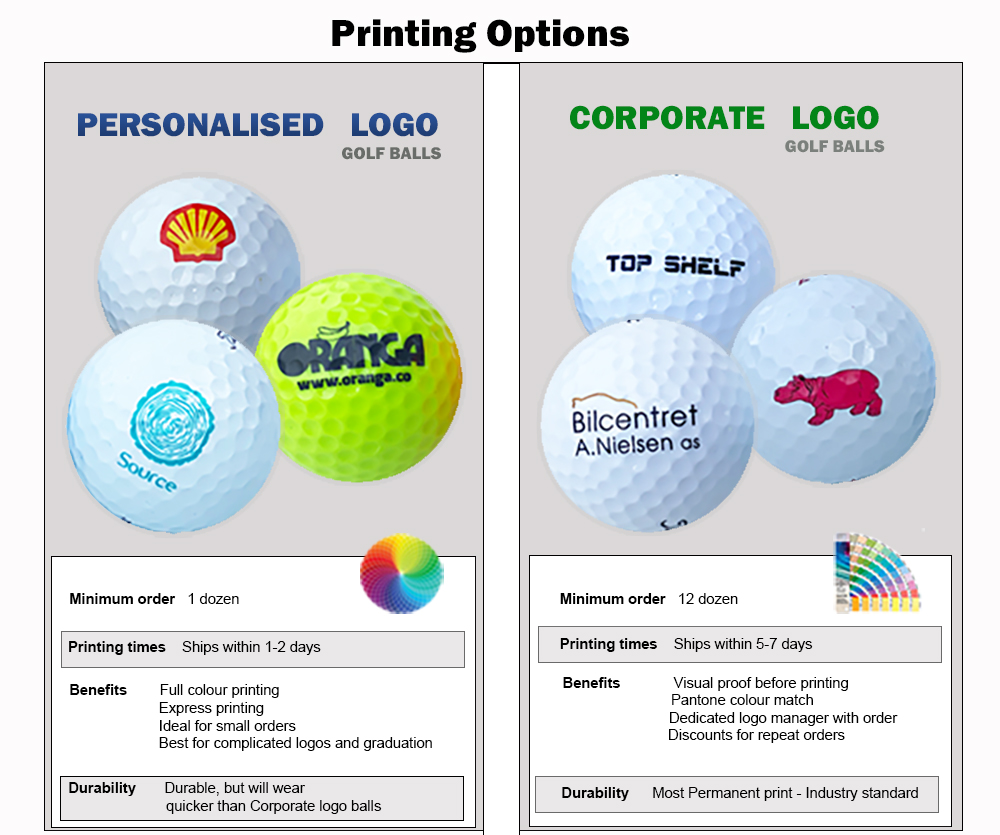
Here you can see the difference in the 2 printing services we offer, Personalised Golf Balls and Logo Golf Balls.
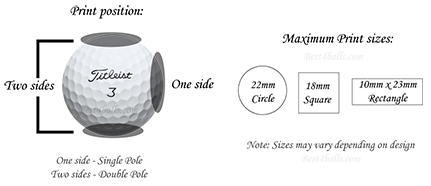
The maximum print area for personalised golf balls is around 22mm, we can sometimes print to around 24mm but this does depend on the logo we are printing.
Our production team will always print as large as they can within the print area with each individual logo.
We can print into 1 or 2 positions onto the balls in the positions as shown below.
When printing a photo you want to make sure that the quality is as good as possible, if the photo is blurry then the print will reflect this.
Make sure the photo is well lit, dark images will appear darker when printed on the ball as the print area is only around 22mm.
If you don't have a cropped image use our customiser to edit your image to remove any unnecessary background.
Group shots - if you have an image which contains a lot of people crop this down as close as possible so all that you can see if the people you want in the image.
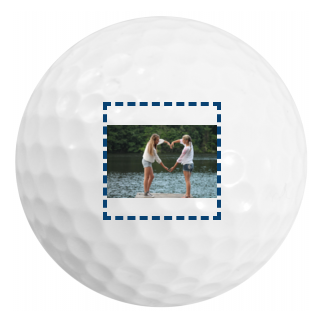
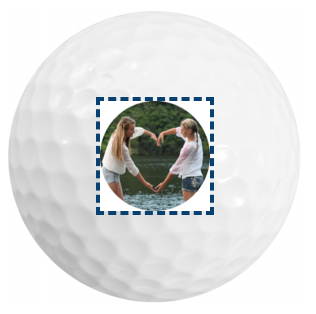
See the examples below where the image has been cropped down to take out the unwanted background, this makes the subject of the image fill more of the print area.
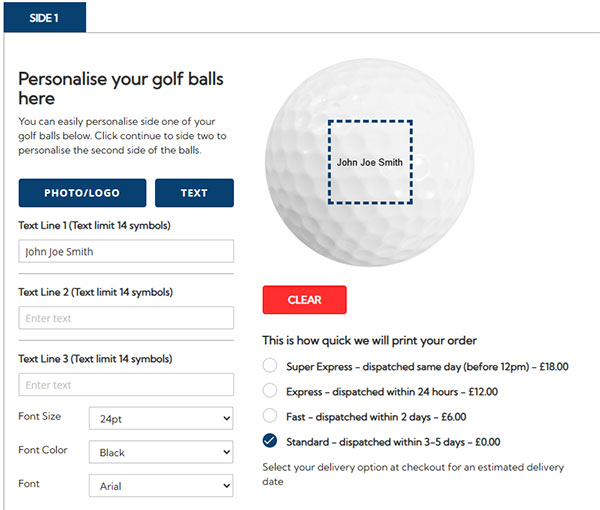
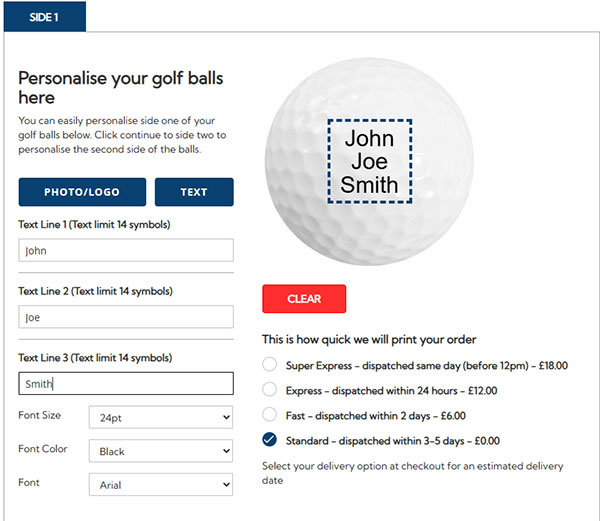
Golf balls are too small to effectively show off long strings of text, so where possible, try to avoid them to achieve the best results on your custom golf balls.
For best results, try to use shorter words & phrases or split your message over the three available lines for printing.
See the example below which shows how you can make the most of the print area by splitting your text over 3 lines.